Letter Trace
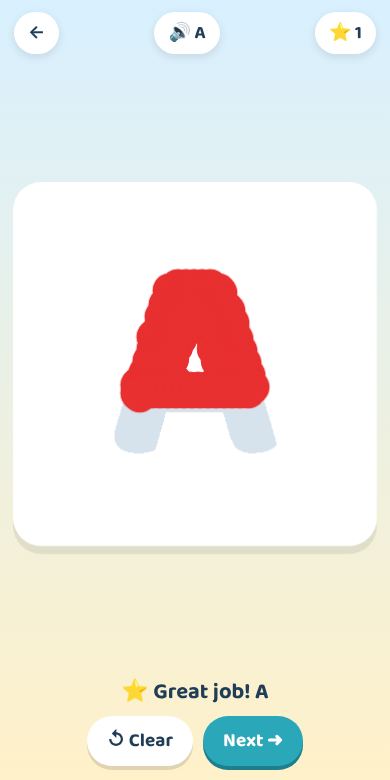
Trace all 26 letters, capital and small, with your finger. Each letter name is spoken.
Letter Trace is a free English game from English for Fun. Trace all 26 letters, capital and small, with your finger. Each letter name is spoken. No account and no ads, and it works offline after the first visit.
- Free to play
- Works offline after the first visit
- No microphone needed.
- Skill: Writing letters
- Level: Beginner
Free to play, no code needed
 ▶ Play free
How to play
- Choose capital letters (ABC) or small letters (abc), then pick a letter.
- Hear the letter name. A green dot shows a good place to start.
- Trace over the grey letter with a finger until it is filled with color.
- The game checks how much of the letter is covered and whether the color stays on it. It does not check stroke order.
What you practice
- Letter shapes
- Letter names
- Fine motor control
For teachers
- Children take turns tracing on a touch screen while the class "writes" the letter in the air.
- Show the correct stroke order yourself first: the game does not teach it.
At home or with a helper
- After tracing on screen, write the same letter on paper or in sand.
- Pair it with Letter Island, which teaches the letter names.
Related
- Free alphabet and letter games
- Letter Island
- The English alphabet for kids: all 26 letters, A to Z
- Why children mix up b and d, and how to help
Questions
Does it teach the correct way to write each letter?
No. It checks that the letter is covered, not the order or direction of the strokes. Show your child the strokes, then let them practice here.
Does it need a touch screen?
A finger works best; a mouse works too.
Does it have capital and small letters?
Yes. You can trace all 26 letters in capital (ABC) and small (abc) form.
Does it say the letter names?
Yes. Each letter name is spoken when you pick it.
Does it work on a phone or tablet?
Yes. A finger on a touch screen works best. A mouse works too.
Do I need an account?
No. There is nothing to sign up for. Progress is saved on the device you play on.
Does it work without internet?
Supported games can be played offline after a successful first visit. Speech recognition may still need internet; manual continuation is available.
Do I need help to start?
No. If someone is learning with you, try the first session together so you can see how it works. After that you can play alone.
Share this game

https://englishforfunkids.com/play/letter-trace/
Print this QR code: parents and pupils scan it with a phone camera to open the game. Download QR code (SVG)
Embed on your website or class page
Paste this code into a blog, Google Sites, Padlet or your school website. Free for teaching; please do not sell it or place ads next to the game.